
Table of Contents
- Why Update Your Professional Headshot
- 10 Essential Tips for Professional LinkedIn Profile Pictures
- 1. Invest in Professional Lighting
- 2. Choose a Clean, Neutral Background
- 3. Dress for Your Industry
- 4. Frame Your Face Properly
- 5. Make Genuine Eye Contact
- 6. Use Natural Expressions
- 7. Pay Attention to Grooming
- 8. Get the Dimensions Right
- 9. Ensure Proper Image Quality
- 10. Reflect Your Personal Brand
- What to Wear for Corporate Headshots
- DIY vs Professional Headshots
- The Impact of a Strong Professional Photo
- Frequently Asked Questions
Last Updated: September 17, 2026
Your LinkedIn profile picture is often the first impression you make on potential employers, clients, and collaborators. A strong professional headshot can significantly influence how people perceive your credibility and approachability. At Neil Taylor Photography, we understand that the right image opens doors, whether you’re an actor seeking casting opportunities, an entrepreneur building your brand, or a corporate professional advancing your career.
The difference between a dated or amateur photo and a polished professional LinkedIn profile picture can directly impact your networking success and professional opportunities. Below, we’ll show you exactly how to create a headshot that genuinely represents you and captures attention.
Why Update Your Professional Headshot
Your LinkedIn profile picture is your digital handshake. It appears alongside every message you send, every comment you make, and every connection request you accept. A professional LinkedIn profile picture builds immediate trust and makes you memorable in a crowded digital space.
Many professionals underestimate how much a fresh headshot matters. If your current photo is more than two years old, it may no longer reflect how you look today, and worse, it might signal that you’re not actively engaged in your professional development. An updated, high-quality image demonstrates that you take your professional presence seriously.
A professional headshot can provide a polished, current image for your LinkedIn profile and other professional communications. For actors, entrepreneurs, and business leaders, a strong professional LinkedIn profile picture can be the difference between being overlooked and being remembered.
10 Essential Tips for Professional LinkedIn Profile Pictures
1. Invest in Professional Lighting
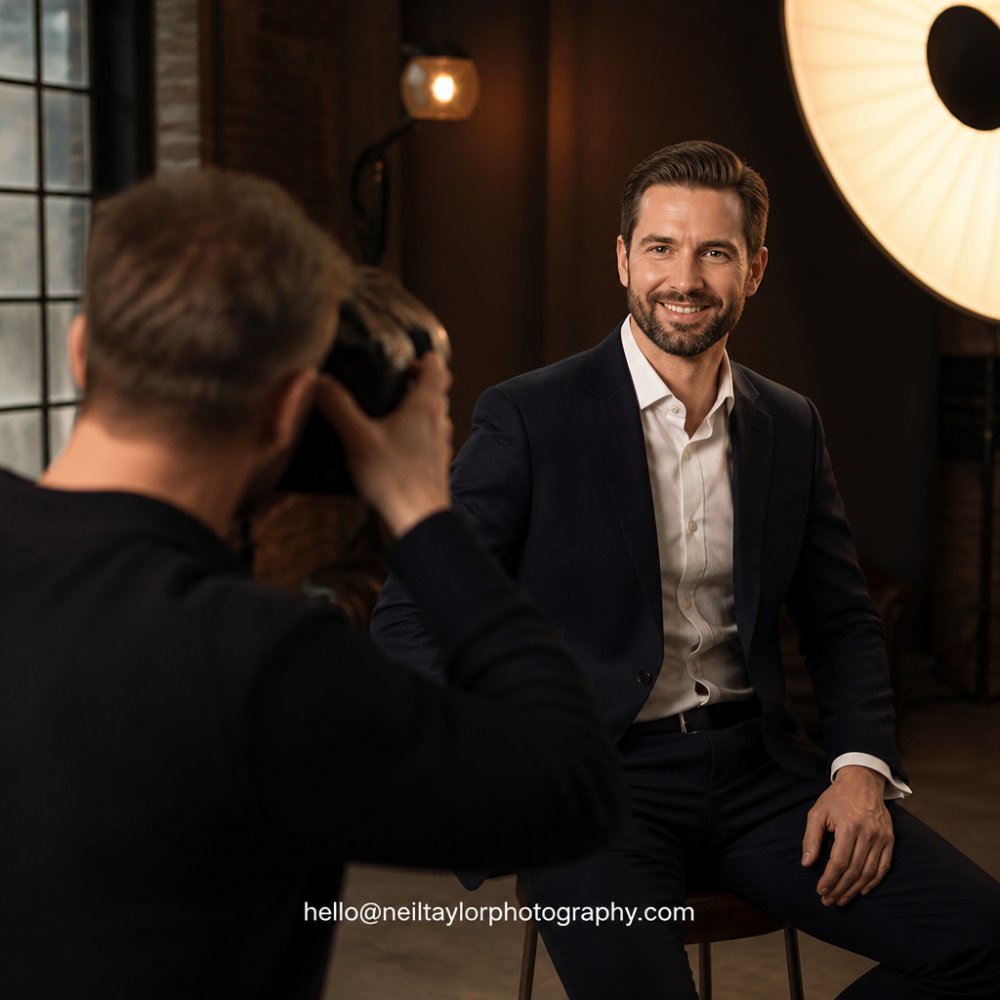
Lighting is everything in portrait photography. Poor lighting creates unflattering shadows, washes out your skin tone, and makes you appear tired or disengaged. Professional lighting, whether in a studio or on location, ensures your face is evenly lit and your features are clearly visible.
Natural light can work, but it’s unpredictable. Studio lighting gives you complete control. A professional photographer uses key lights, fill lights, and backlights to sculpt your face and create depth. The result is a headshot where every detail is intentional and flattering.
If you’re considering a DIY approach with your smartphone, invest in a ring light or softbox. Position the light source at a 45-degree angle to avoid harsh shadows under your eyes and nose. The goal is even, diffused light that brings out your best features without creating distracting shadows.
2. Choose a Clean, Neutral Background
Your background should never compete with your face. A cluttered or distracting background pulls attention away from you and makes your LinkedIn profile picture look amateurish.
The best backgrounds are simple: solid colours like white, grey, or soft beige work beautifully. If you’re shooting on location, choose a plain wall or a blurred background (achieved through depth of field). Avoid busy patterns, logos, or anything that dates the image.
Professional headshot studios invest in quality backdrops specifically because they understand this principle. A neutral background ensures your image remains timeless and professional, regardless of trends.
3. Dress for Your Industry
Your clothing should reflect the professional standards of your industry. An actor’s headshot might call for different styling than a corporate executive’s, and that’s intentional.
For corporate and business professionals, opt for solid colours that complement your skin tone. Jewel tones, navy, charcoal, and earth tones photograph well. Avoid busy patterns, loud graphics, or anything overly trendy. The focus should remain on your face and expression, not your outfit.
Actors should dress in a way that represents their typical casting range. If you’re up for corporate roles, business casual works. If you’re auditioning for creative roles, your styling can be more expressive, but still polished and intentional.
Book your headshot session today →
4. Frame Your Face Properly
The composition of your headshot matters enormously. Your face should fill most of the frame, with just enough space around your head to avoid feeling cramped.
Typically, the photo should be framed from the chest or shoulders up. Your eyes should sit roughly in the upper third of the frame, this is a classic compositional rule that creates visual balance. Avoid extreme angles or tilting your head too far to either side, as this can distort your features.
Professional photographers understand framing instinctively. They position you at the right distance from the camera and adjust angles to ensure your best features are showcased. This technical skill is difficult to replicate with a smartphone.
5. Make Genuine Eye Contact
Your eyes are the most expressive part of your face. Direct eye contact creates connection and confidence, making your LinkedIn profile picture feel engaging rather than distant.
Look directly at the camera lens, not slightly off to the side. This creates the sense that you’re looking directly at the viewer. Your gaze should be warm and approachable, not staring intensely or looking away.
A common mistake is looking too serious or stiff. Your eyes should reflect genuine interest and openness. This is where professional photographers excel, they know how to direct you to achieve this natural, confident expression.
6. Use Natural Expressions
A forced smile reads as inauthentic in photographs. Your expression should feel relaxed and genuine, as if you’re greeting someone you’re genuinely pleased to see.
The best professional headshots capture a subtle, confident smile, not a wide grin. Your mouth should be relaxed, with just enough of a smile to show warmth. Think of a pleasant, professional interaction rather than a camera smile.
Professional photographers guide you through different expressions and capture multiple shots. This gives you options and increases the chances of capturing a genuinely natural moment. They’ll direct you with prompts like “think of something that makes you happy” rather than “smile bigger.”
7. Pay Attention to Grooming
Your grooming should be polished but authentic. This means professional haircut, well-maintained facial hair if you have it, and minimal visible blemishes.
For women, makeup should enhance your features without appearing heavy. Natural makeup photographs better than dramatic makeup, which can look overdone in professional headshots. For men, a fresh haircut and clean shave (or neatly trimmed beard) matter significantly.
Grooming is one area where you have complete control before the shoot. Invest in a professional haircut a few days before your session, not the day before or on the day itself, as you want time to adjust to the style. If you wear glasses, ensure they’re clean and current-looking.
8. Get the Dimensions Right
LinkedIn requires specific image dimensions for your profile picture. Your headshot should be 400 x 400 pixels, with a minimum file size of 200 x 200 pixels.
Many people crop their professional headshots incorrectly, cutting off important parts of their face or leaving too much empty space.
Book your headshot session today →
9. Ensure Proper Image Quality
A blurry, pixelated, or poorly lit headshot damages your professional credibility. Your image should be sharp, with clear detail in your eyes and face.
10. Reflect Your Personal Brand
Your professional LinkedIn profile picture should align with how you want to be perceived professionally. If you’re a creative entrepreneur, your styling might be slightly more expressive than a corporate executive’s, but both should feel intentional and professional.
What to Wear for Corporate Headshots
Corporate headshots call for a polished, professional appearance that reflects your industry standards. Solid colours work best, navy, charcoal, deep grey, and jewel tones photograph beautifully and convey professionalism.
DIY vs Professional Headshots
DIY Headshots
Taking your own professional LinkedIn profile picture with a smartphone is possible, but it comes with significant limitations. You’ll need proper lighting (a ring light or softbox), a clean background, a tripod or stable phone holder, and ideally a remote trigger or timer.
The Impact of a Strong Professional Photo
A polished professional LinkedIn profile picture provides a clear and consistent image alongside your professional information. People make snap judgments based on visual information, your headshot either reinforces your professional credibility or undermines it.
Or get in touch directly: hello@neiltaylorphotography.com
Frequently Asked Questions
What makes a good professional LinkedIn profile picture?
A strong professional LinkedIn profile picture combines proper lighting, a clean background, and genuine expression. Your face should be well-framed, with clear eye contact and appropriate attire for your industry. The image should be high-resolution, properly cropped to LinkedIn’s dimensions (400×400 pixels), and reflect your personal brand authentically. Avoid distracting backgrounds, excessive filters, or overly casual poses that undermine your professional credibility.
How often should you update your professional headshot?
Most professionals benefit from updating their headshot every 2-3 years, or whenever your appearance changes noticeably. If you’ve changed your hairstyle, grown facial hair, or your industry dress code has shifted, a refresh is worthwhile. A current photo signals that you’re actively engaged in your field and helps your profile make a strong first impression. An outdated photo can create doubt and reduce connection requests and opportunities.
Should I use a professional photographer for my LinkedIn headshot?
Professional photographers offer significant advantages over DIY approaches. They provide expert lighting, posing guidance, and access to high-quality equipment that ensures a polished, credible image. A professional understands how to capture authentic expressions that don’t look stiff or uncomfortable. While DIY options exist, professional headshots typically deliver noticeably better results that reflect well on your personal brand and increase your profile’s impact.
What should I wear for a professional LinkedIn profile photo?
Wear clothing that aligns with your industry’s standards. Business professionals typically opt for blazers, collared shirts, or professional dresses. Avoid busy patterns, bright neons, or casual wear like t-shirts. Choose colours that complement your skin tone and stand out against your background. Ensure your outfit is wrinkle-free and fits well. Your clothing should enhance your professional image without becoming the focal point, the focus should remain on your face and expression.
Does a professional headshot increase LinkedIn profile views?
A professional headshot can give your LinkedIn profile a clear, current image that sits alongside your headline, experience and other professional information. A polished photograph can also help maintain a consistent visual presentation across professional profiles.